

Connect your iPhone
Plug your own unlocked iPhone into your Mac, tap Trust, and follow the short on-screen setup.
PinShift GPS · iPhone GPS location changer for Mac
Change a fixed location from your Mac with no PinShift account or jailbreak required. Search a city, drop a pin, and restore your real location whenever you are done. Precision and route features are available with Pro.
Wondering about Find My, Snapchat or Instagram? See what PinShift can—and cannot—control in each app.
A clearer way to test location
PinShift starts with a map, not a technical form. Search a city, paste coordinates from a brief, save a useful spot, or build a route with multiple stops—then keep the restore action one click away.
Three simple steps
No coordinates to memorize and no account to create. PinShift keeps the main journey clear from the moment you connect your iPhone.
Plug your own unlocked iPhone into your Mac, tap Trust, and follow the short on-screen setup.
Search anywhere, click the map, use a favorite, or create a route through the streets you want.
Start the selected location and use Restore real location when you want your iPhone back to normal.
No jailbreak is required. Your iPhone may ask you to enable Developer Mode; PinShift follows Apple’s normal security steps and never bypasses them.
Everyday ideas
Try a useful travel check, explore another city, or give a location-aware experience the right setting—all from a device you own and control.
Before a trip
Explore how location-aware apps look around your destination, save useful places, and get familiar with the area before landing.
A new neighborhood
Choose a city or neighborhood and see how the location-aware features on your own iPhone respond there.
Social context
Check how your own social apps handle a selected iPhone location. PinShift never edits posts, tags, accounts, or privacy settings.
Routes
Preview walking, cycling, or driving movement along mapped streets, with control over pace, stops, and multiple destinations.
A future move
Browse your own location-based experiences from the place you are considering, without changing account details or saved home addresses.
When you finish
The restore action stays visible. If restoration ever fails, PinShift keeps the location marked as potentially active so you can retry.
Popular app questions
When PinShift confirms the device action, it has delivered the selected location through iOS. Each service can still cache, delay, accept, or reject that input under its own rules, version, and connection state.
Apple
PinShift can complete the iPhone-side location action, while Find My may still refresh, cache, or interpret it independently.
Service response can varySnapchat
Snapchat controls how Snap Map uses iPhone location. PinShift does not sign in, access your account, or change Snapchat privacy settings.
Behavior variesInstagram controls place tags and in-app behavior. PinShift does not edit a post or guarantee which location Instagram will show.
Behavior variesApple Maps: user-reported manual checkWhatsApp: behavior variesPokémon GO: Error 12 compatibility
Use PinShift only on an iPhone you own or are explicitly allowed to use. Respect each app’s current terms and never use a selected location to deceive someone who relies on your whereabouts.
Choose how you want to move
Every PinShift mode is built around a visible restore action. Start simple, then choose the movement that matches an authorized test.
Holds one selected coordinate until you restore real location.
Samples nearby points within the radius you choose—useful when testing how an experience responds around one area.
Moves continuously around a small loop centered on your selected place, with adjustable radius, interval, and speed.
Build a timed, multi-stop route that follows mapped streets instead of jumping between pins.
The route that moves with you
Choose walking, cycling, or driving; add stops in order; preview alternatives; then control pace, variable speed, brief stops, pause, resume, and visible progress. Driving can use posted road limits where mapped and a road-type estimate where they are not.
Route duration is estimated from the chosen route and any planned stays. It is not a real-world arrival promise.
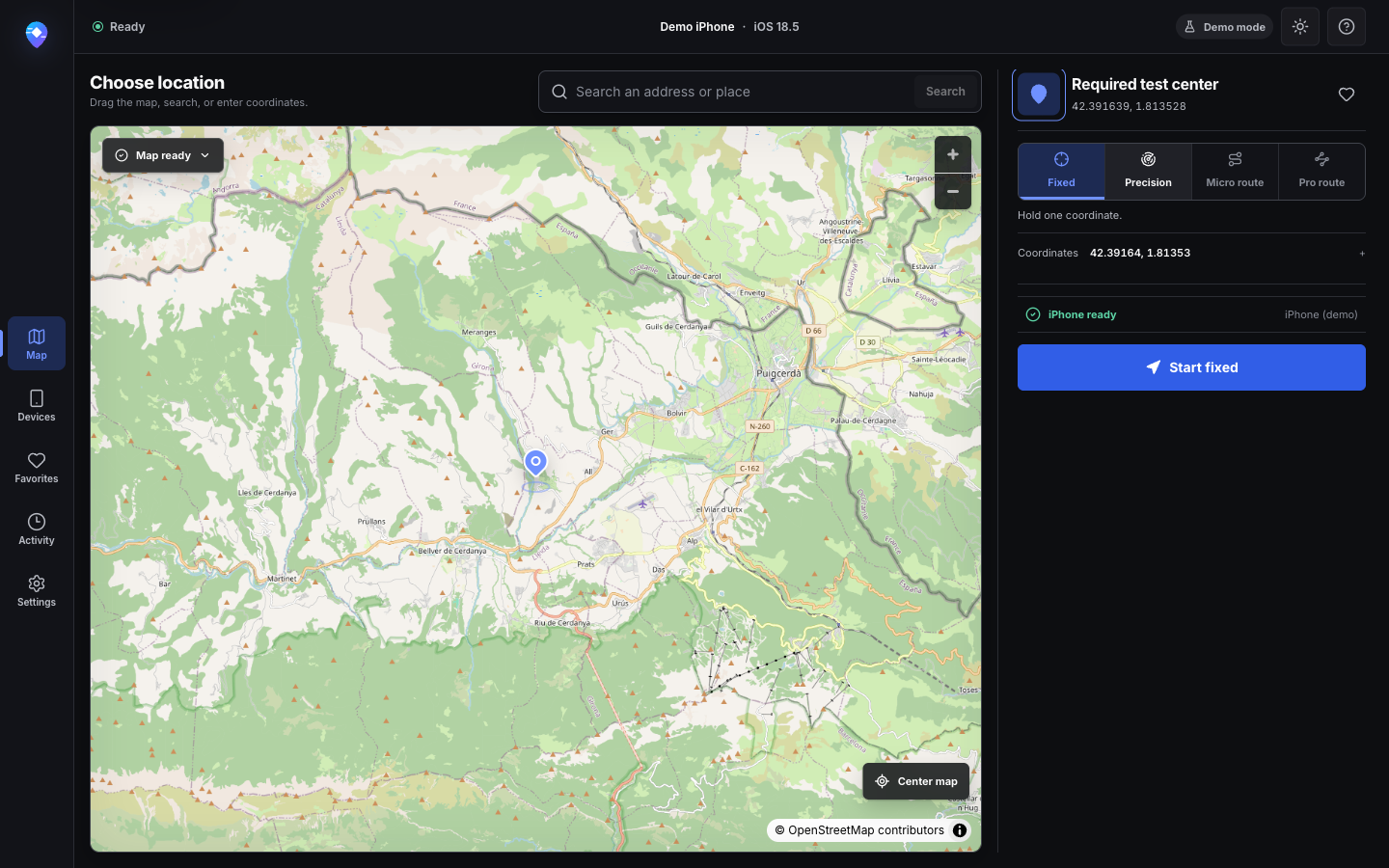
Example: A regional result behaves differently near a border. Select one documented point and return to it for every test run.
What to notice: Search, map selection, manual coordinates, favorites, and the selected mode stay together without hiding the restore path.
Captured in PinShift’s privacy-safe demo environment with test-only device and location data.
View full-size capture Run a first Fixed test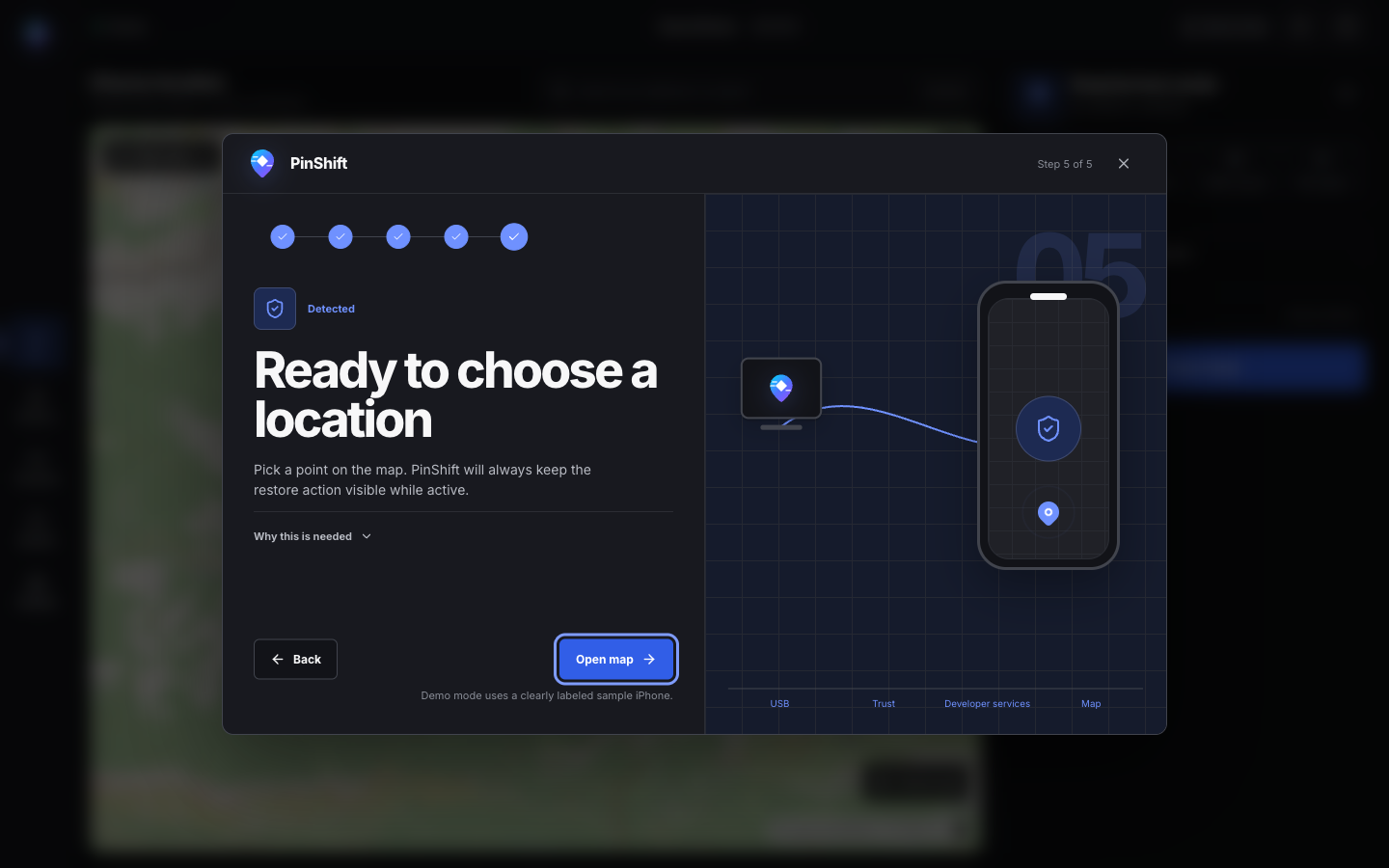
Example: The iPhone is connected but the test cannot begin. Follow the detected step instead of repeating unrelated setup work.
What to notice: Trust, Developer Mode, developer services, and readiness are explained separately; Apple security controls are never bypassed.
Captured in PinShift’s privacy-safe demo environment with test-only device and location data.
View full-size capture Connect and trust an iPhone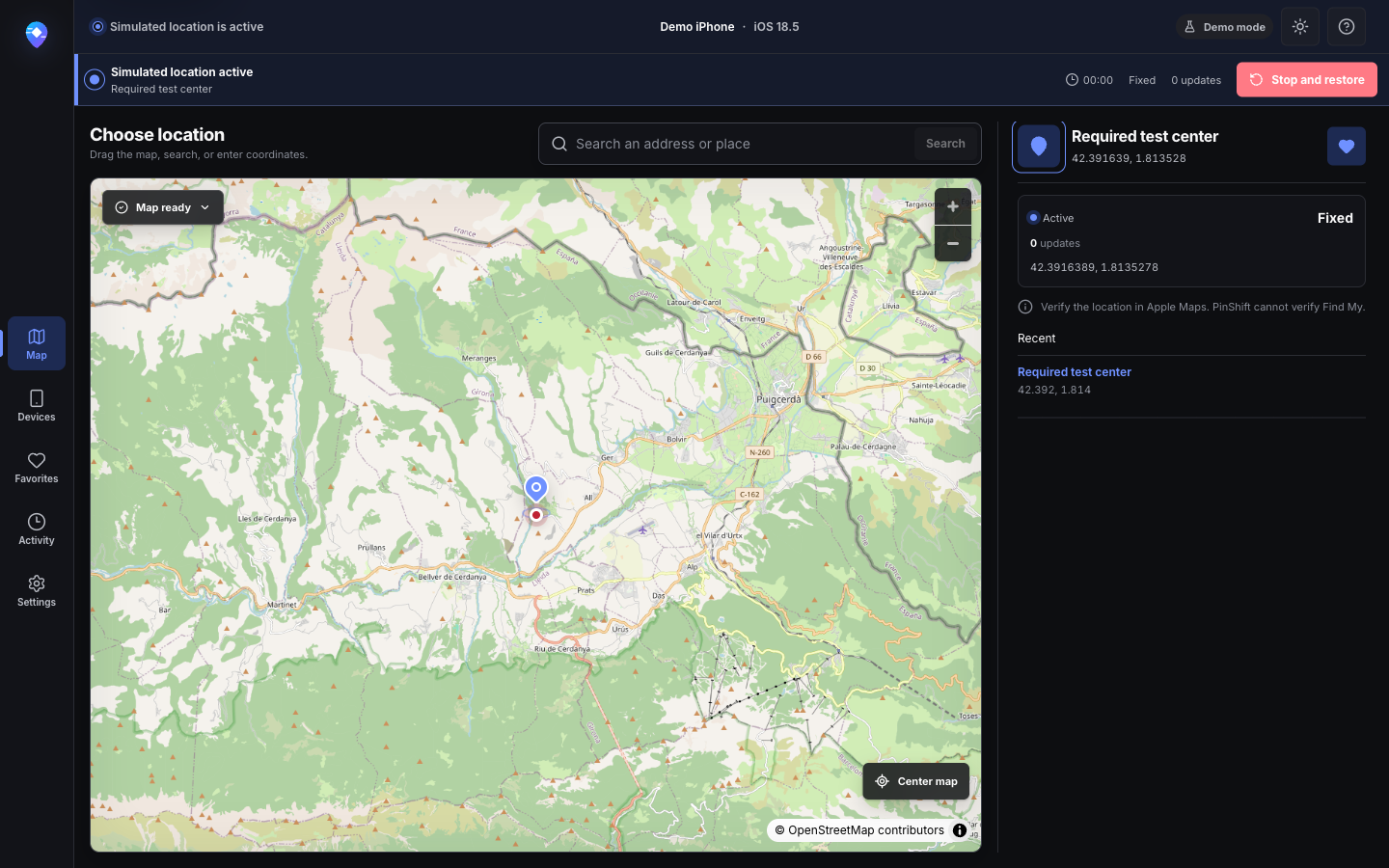
Example: A nearby-content screen needs a steady location while its loading, empty, and retry states are reviewed.
What to notice: The active banner, elapsed state, applied coordinates, and Stop and restore control remain visible throughout the session.
Captured in PinShift’s privacy-safe demo environment with test-only device and location data.
View full-size capture Restore the real location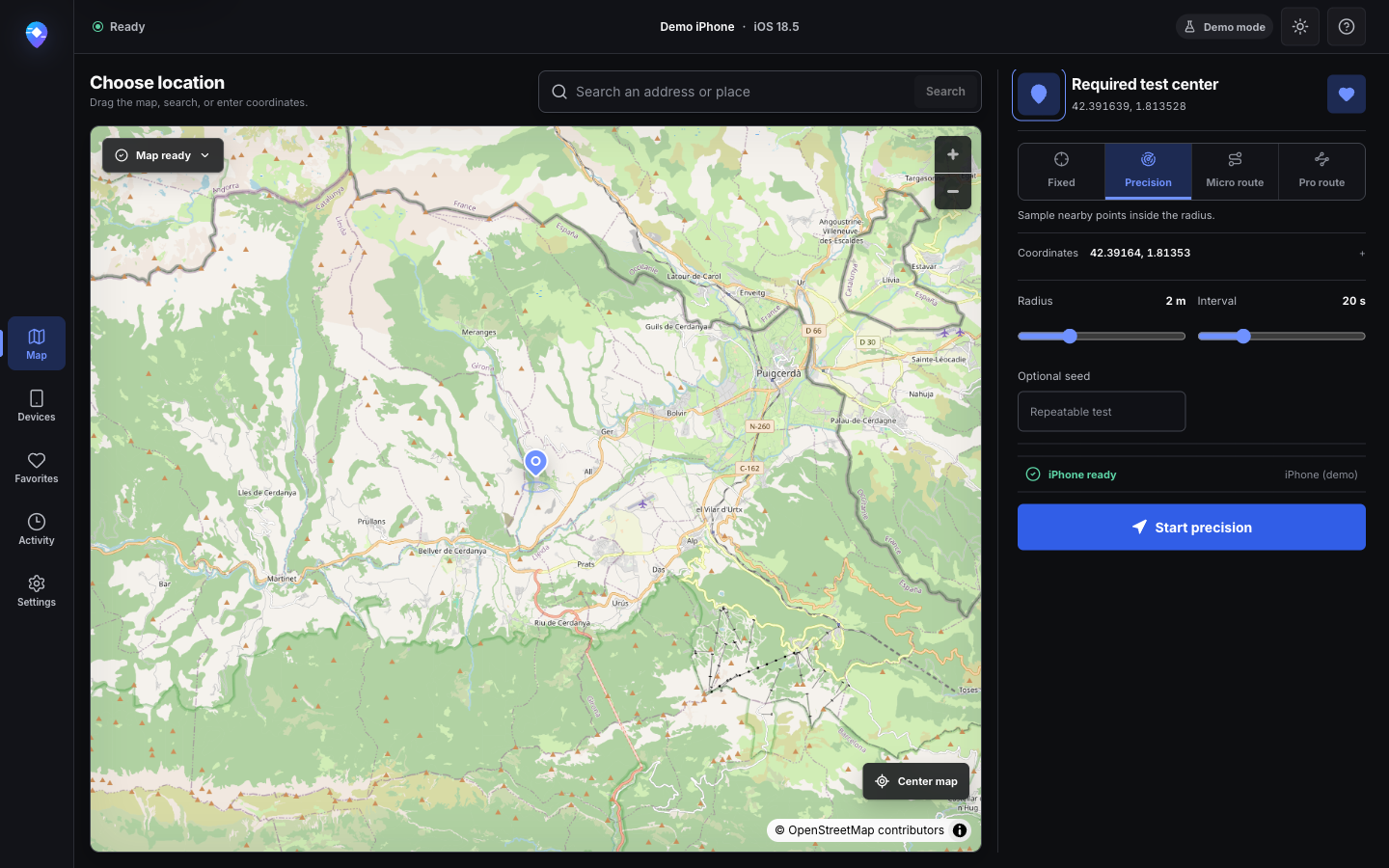
Example: A check-in flow should remain stable when GPS samples move slightly around the intended point.
What to notice: Radius, update interval, and an optional repeatable seed make the same controlled variation easy to rerun.
Captured in PinShift’s privacy-safe demo environment with test-only device and location data.
View full-size capture Compare simulation modes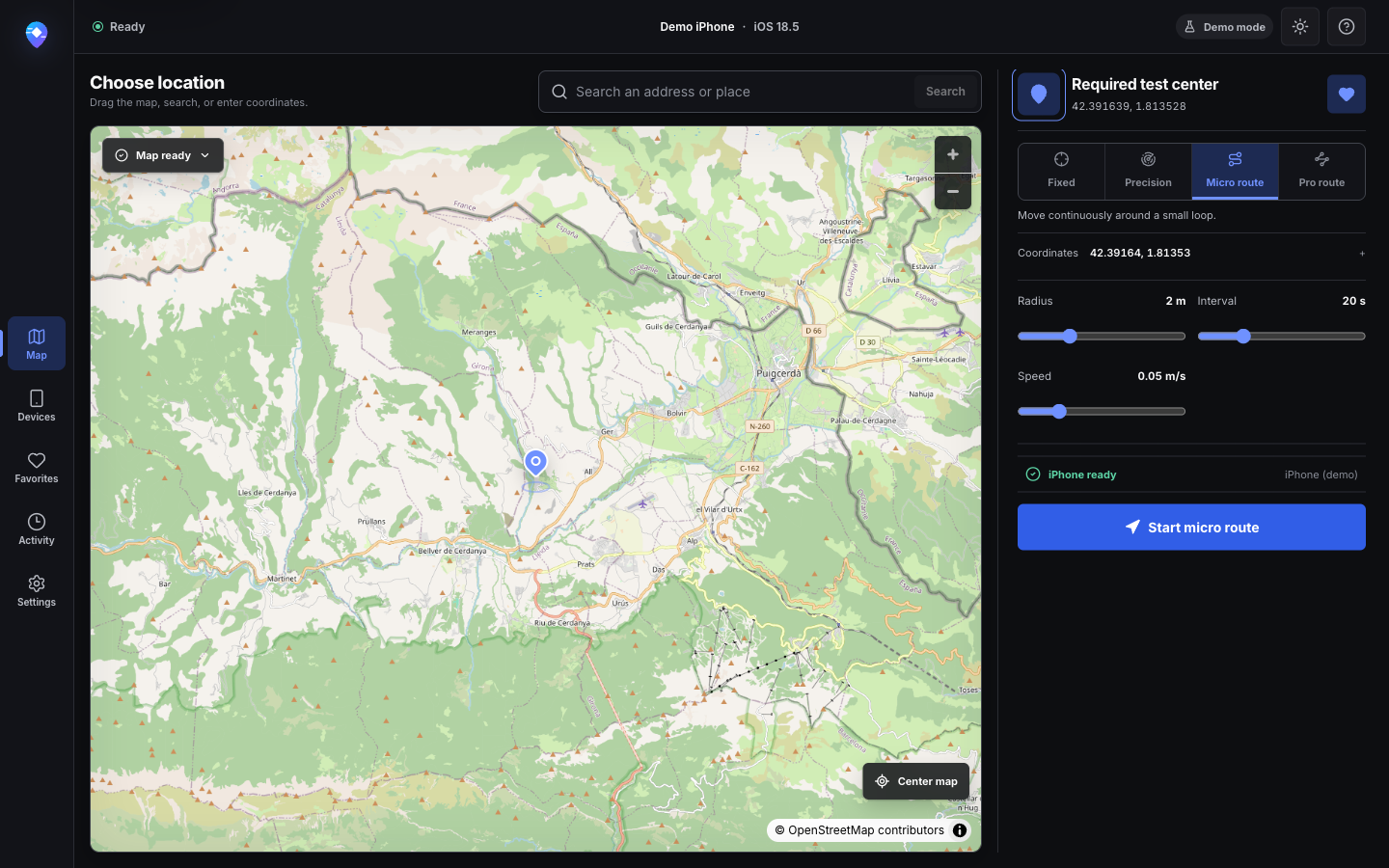
Example: A map interaction reacts to slow movement around a venue, but walking the same loop for every build is impractical.
What to notice: The loop radius, interval, and speed are explicit, while the active-state controls stay consistent with Fixed mode.
Captured in PinShift’s privacy-safe demo environment with test-only device and location data.
View full-size capture Understand Micro Route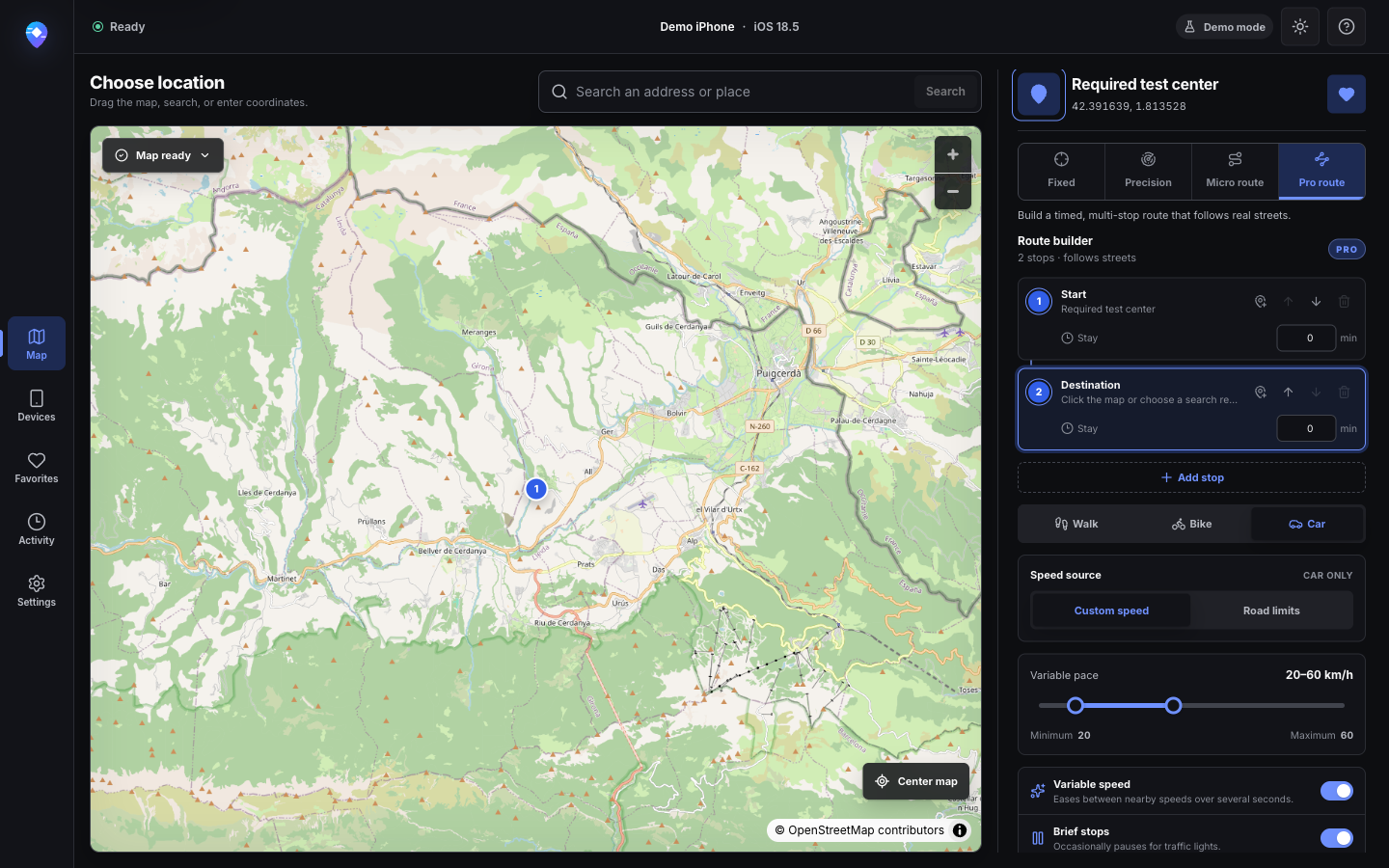
Example: A commute experience needs a start, destination, realistic pace changes, and pauses before a product demonstration.
What to notice: Stops, travel type, speed source, pace, and dwell behavior are configured before the route is calculated on real streets.
Captured in PinShift’s privacy-safe demo environment with test-only device and location data.
View full-size capture Explore Pro Route behavior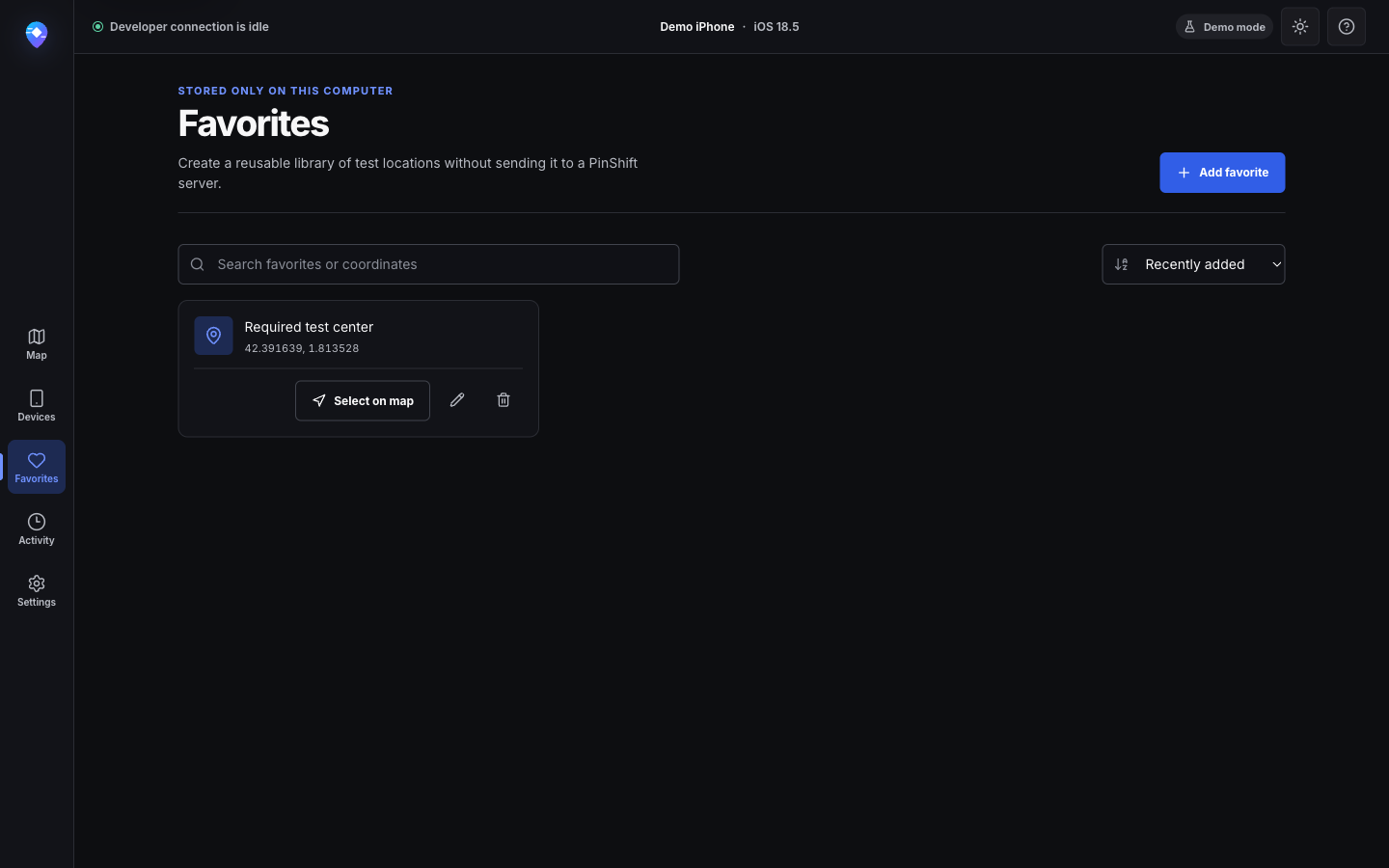
Example: A small QA set revisits the same approved locations across builds without copying coordinates from a separate document.
What to notice: Favorites can be searched, renamed, selected on the map, or removed, and remain stored locally.
Captured in PinShift’s privacy-safe demo environment with test-only device and location data.
View full-size capture Review local data handling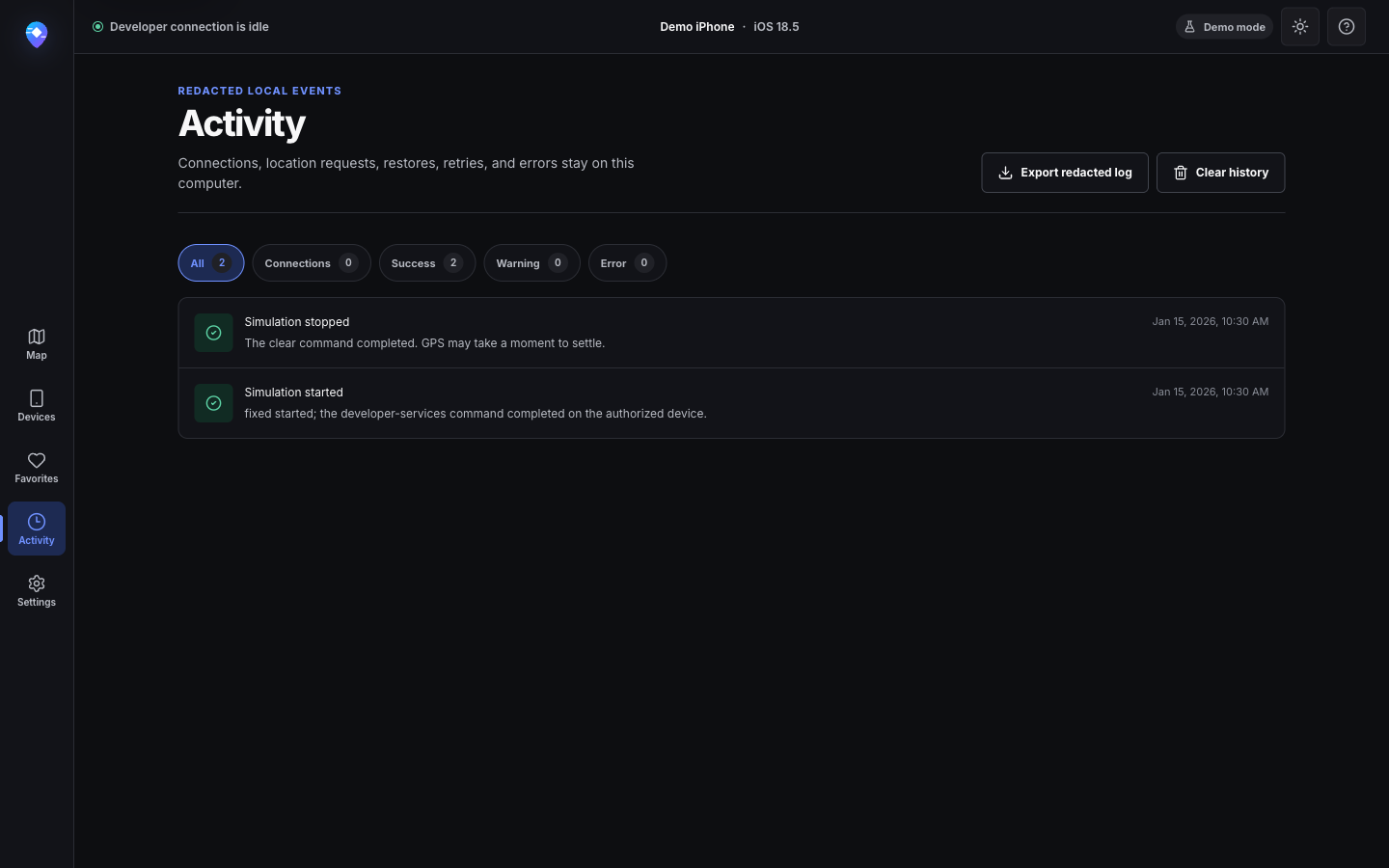
Example: A test ended unexpectedly and the next person needs to distinguish the location request from the restore attempt.
What to notice: Connection, simulation, restore, retry, and error events stay local and can be exported in redacted form for support.
Captured in PinShift’s privacy-safe demo environment with test-only device and location data.
View full-size capture Share diagnostics safely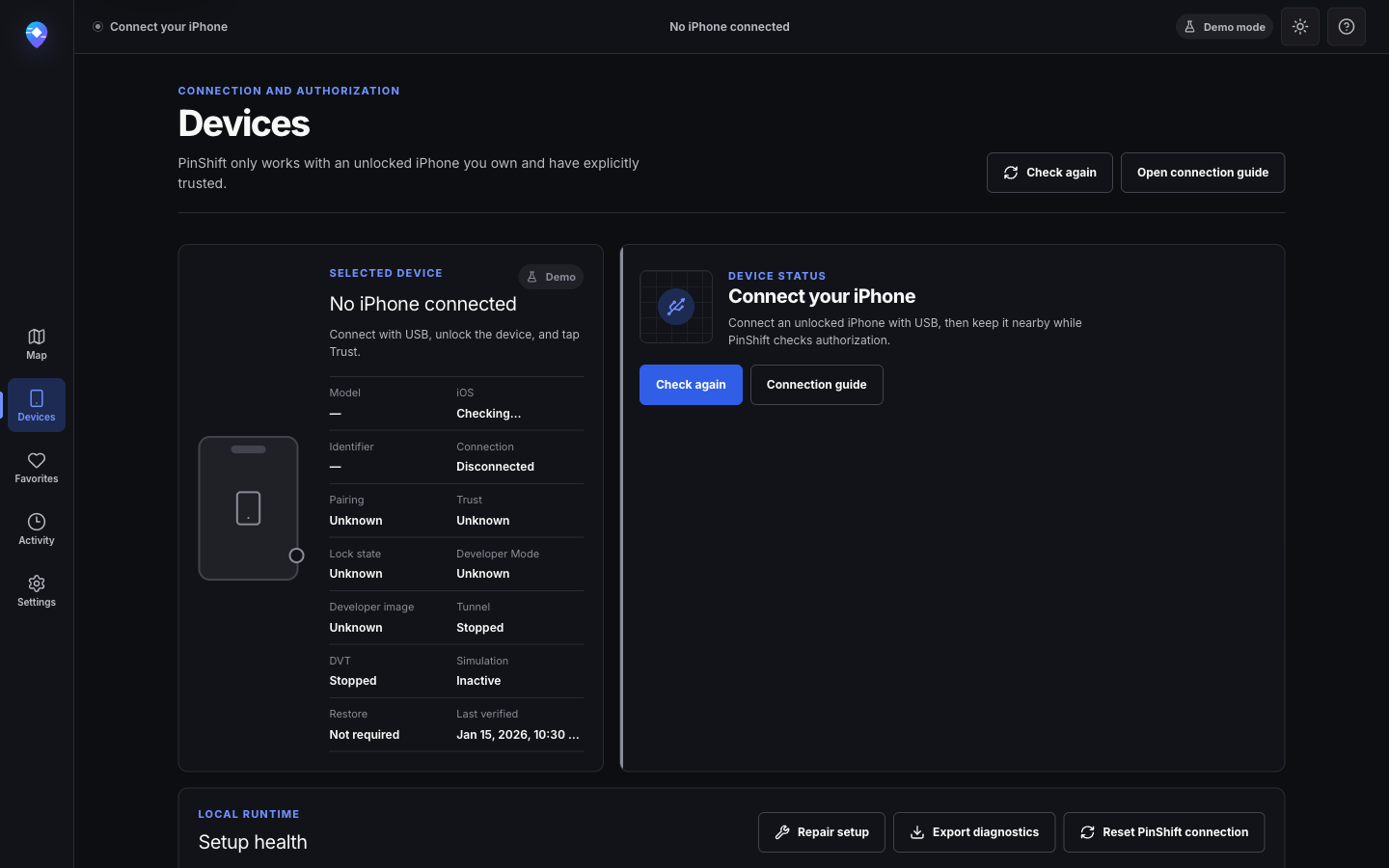
Example: Nothing appears after plugging in the iPhone. Check the individual USB, identity, Trust, lock, and Developer Mode states.
What to notice: Technical detail remains available, but the primary message and recovery action are written for the person holding the phone.
Captured in PinShift’s privacy-safe demo environment with test-only device and location data.
View full-size capture Troubleshoot device discovery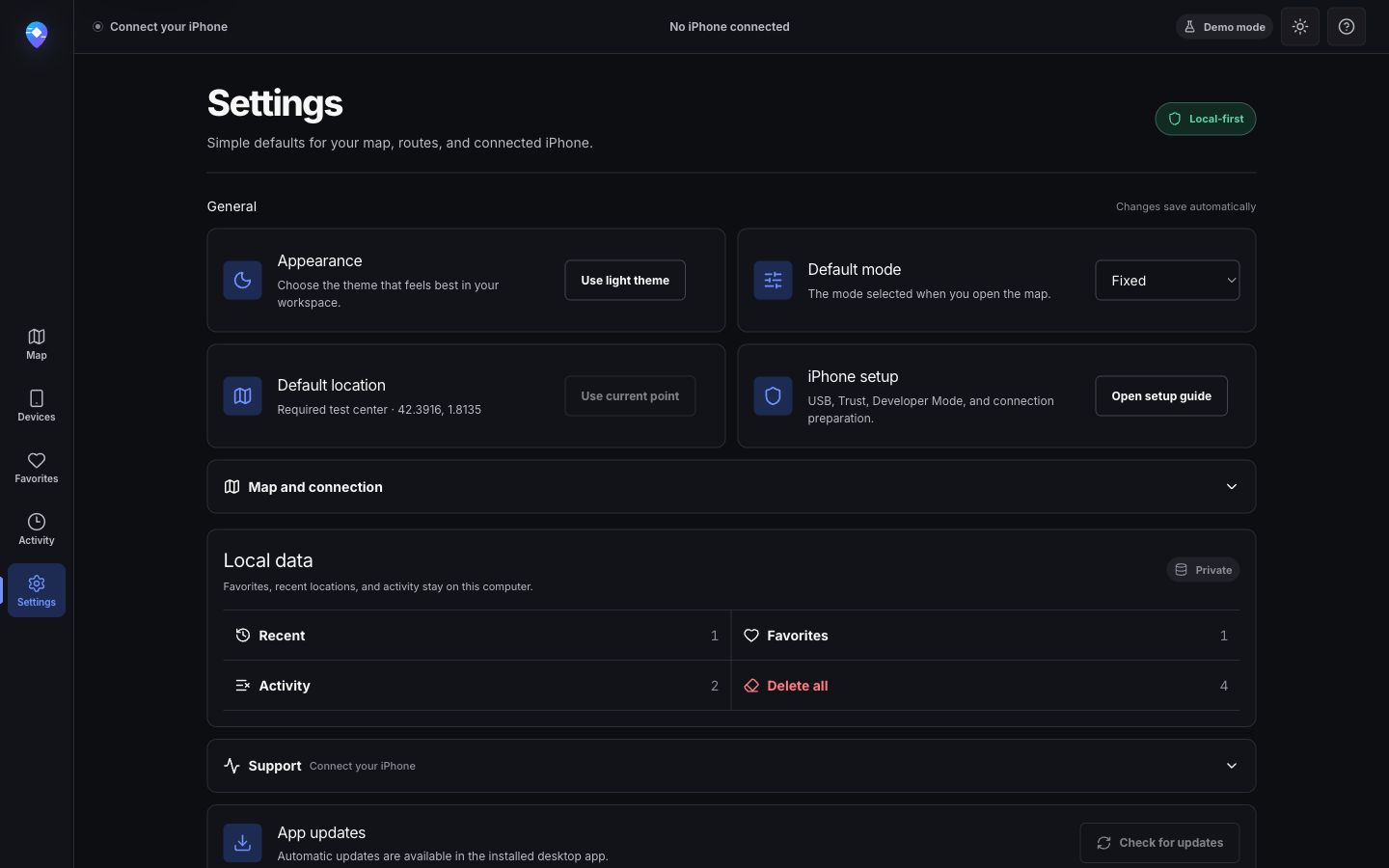
Example: A shared test Mac needs predictable defaults and a clear way to remove local recents, favorites, and activity.
What to notice: Appearance, default mode, map behavior, connection timing, support, and selective local-data deletion live in one place.
Captured in PinShift’s privacy-safe demo environment with test-only device and location data.
View full-size capture Read the privacy policy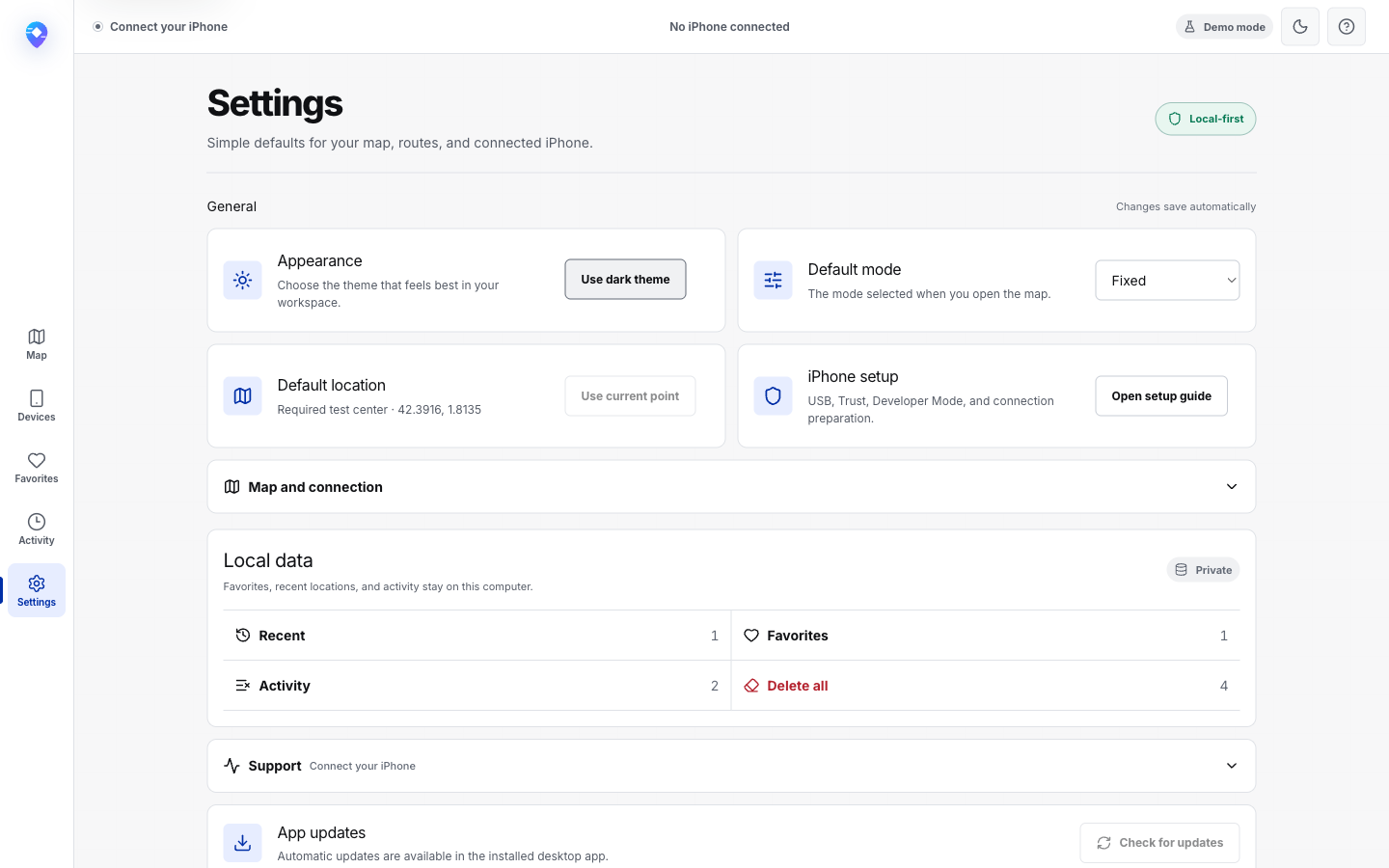
Example: A bright workspace or product review benefits from a lighter surface without changing where controls live.
What to notice: The information hierarchy, focus targets, status colors, and local-data actions remain consistent across appearances.
Captured in PinShift’s privacy-safe demo environment with test-only device and location data.
View full-size capture Browse product documentation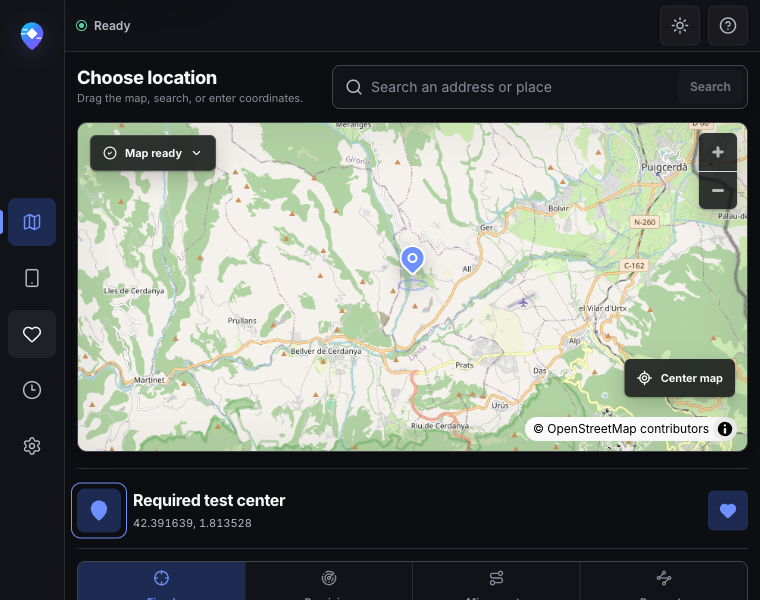
Example: PinShift sits beside a simulator, browser, or test notes instead of occupying the whole display.
What to notice: Navigation stays reachable, the map remains interactive, and the selected location and mode controls continue below it.
Captured in PinShift’s privacy-safe demo environment with test-only device and location data.
View full-size capture Open the setup guidePinShift Free and Pro
Free covers the complete fixed-location workflow. Pro unlocks every movement mode and removes the favorites limit.
€0
Use PinShift without a trial deadline or ads.
€3.99/ month
Full Pro access with monthly billing.
Best value
€24.99/ year
About €2.08 / month
Full Pro access for the lowest recurring monthly equivalent.
€49.99one-time
Full Pro access with one payment instead of a subscription.
Every Pro plan includes
Download or open PinShift on the Mac you want to activate. Choose a Pro control or open Settings, select a plan, and complete Stripe Checkout in your browser. PinShift then reopens and activates that Mac.
Your entitlement is bound to a private random installation ID—not a Mac serial number or iPhone identifier. One license supports up to 2 active Macs.
Restore Real Location is always free.
No free trial. Free is the trial, and it has no time limit.
Subscriptions can be managed or cancelled from PinShift Settings. Cancelling stops renewal; access follows the paid entitlement period.
Pokémon GO compatibility
PinShift can supply a fixed location or simulated route to an authorized iPhone through Apple’s developer-location services. Pokémon GO decides independently whether to accept that input.
Pokémon GO may reject developer-simulated location and show Error 12. PinShift does not bypass game protections or provide anti-detection guidance.
The illustration uses generic sample markers. PinShift does not inspect Pokémon GO or provide live game locations, encounters, accounts, or gameplay automation.
Read the honest compatibility answer
One small setup step
Private by design
PinShift Free works without an account, advertising trackers, or default telemetry. Favorites, recent places, and settings stay on your Mac; Pro billing uses a pseudonymous license and Stripe-hosted payment.
Read the plain-language privacy detailsQuestions, answered
Straight answers about changing iPhone location, Find My, Snapchat, Instagram, privacy, setup, and getting back to your real location.
PinShift is a Mac app for changing the developer-simulated location on an unlocked, trusted iPhone you own or are authorized to test. PinShift GPS is an alternate descriptive name for the same product, not a separate app. Fixed location is free; movement and route modes require Pro.
See how PinShift worksConnect your own iPhone to your Mac by USB, unlock it, accept Trust, and enable Developer Mode if iOS asks. In PinShift, search for a place or choose a point on the map, start the location, and restore your real location when you finish. PinShift uses Apple's local developer-location services; it does not modify the GPS hardware.
See the simple setup guideNo. PinShift’s supported workflow uses a stock iPhone that you own or are authorized to test: connect it by USB, unlock it, accept Trust, and enable Developer Mode if iOS requires it. PinShift uses Apple’s developer-location services and does not bypass Apple security controls.
Review supported iPhone setupPinShift Free does not require a PinShift account or sign-up. PinShift Pro uses a pseudonymous license tied to a random installation ID, and Stripe hosts payment; it does not create a conventional PinShift user profile.
Review account and license dataNo. PinShift does not request your Apple ID or Apple Account credentials. The supported device flow uses a local USB connection, the iPhone’s Trust prompt, and Developer Mode when iOS requires it.
Review the supported setupPinShift can send a selected location through iOS developer services, but it cannot confirm that Find My has adopted or displayed it. Find My can use caching, connectivity, and other signals independently. Always check the result yourself and do not use PinShift to mislead anyone who relies on your shared location.
A user-reported manual check found that Apple Maps reflected a selected PinShift coordinate, but PinShift does not read or certify the Maps result and cannot guarantee behavior across iOS or Maps versions. Test a short Fixed location on your own device, then restore and verify the real position.
Read the Apple Maps testing notesSnapchat decides how Snap Map and other location features interpret iPhone location, so behavior can change between app and iOS versions. PinShift never signs in to Snapchat or edits your account. Check the result in the app and follow Snapchat's current terms and privacy controls.
Your next place is waiting
PinShift 0.4.0 is available for qualified Mac models.